
Manage Airbnbs Without the Chaos
The simple, flat-rate operations platform for hands-on hosts with 1–10 properties. Turnovers, inventory, maintenance, and notifications — all in one place, without the enterprise price tag.
Less chaos. More confidence. Same coffee.
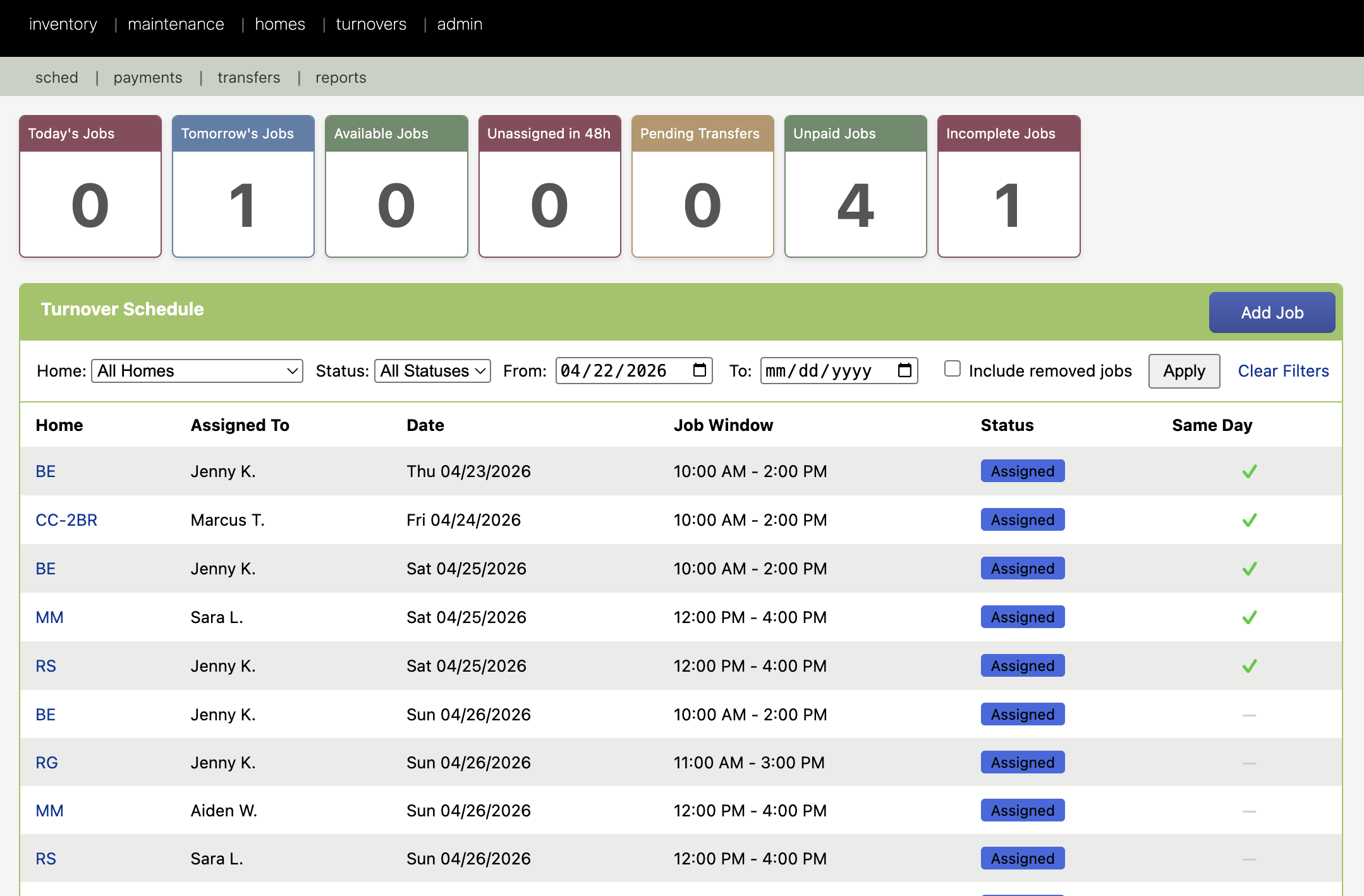
Here's what a typical day looks like once your operation runs on HostLogic.
Receive a copy of the day's schedule in your email and via text message
See every cleaning job assigned, un-assigned, in-progress, or done. No texts to send. No "did you get my message?" follow-ups.
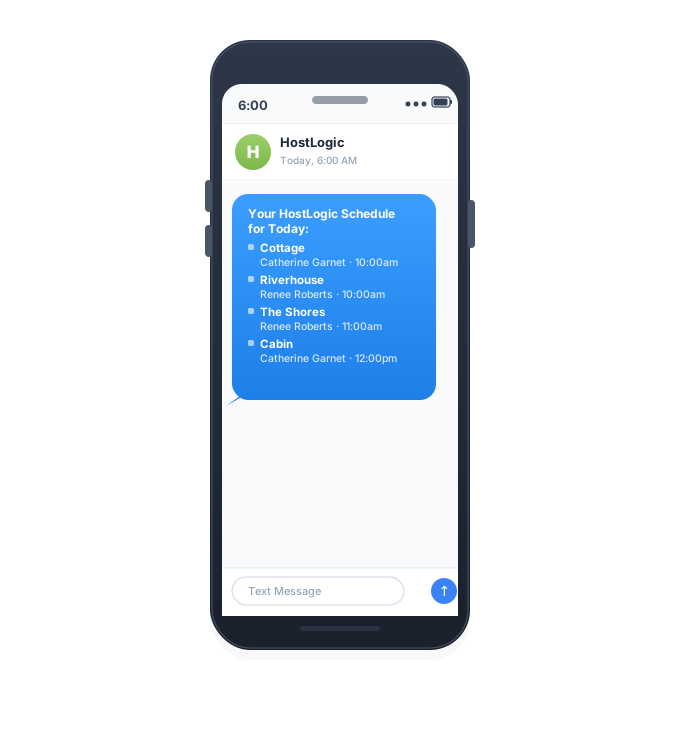
Cleaners confirm arrival while you address low stock
An automated message confirms your cleaners have started. You spot a low-stock flag at the Lakehouse and reorder in one click — marked "on order" so the whole team can see it coming.
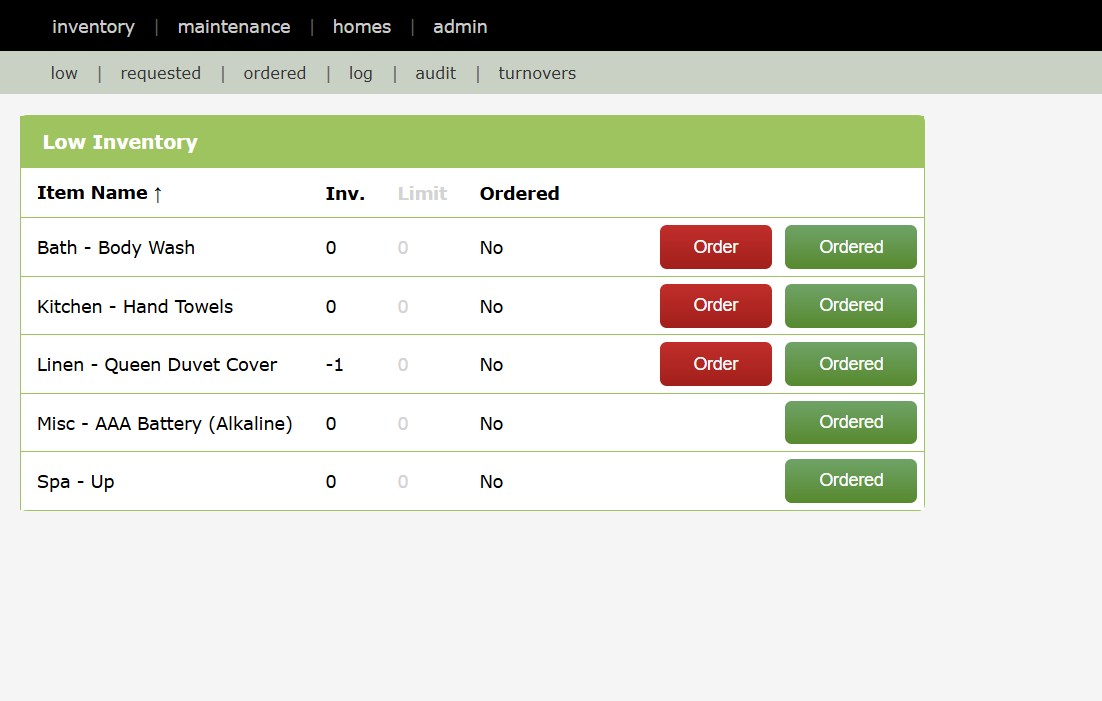
Cleaners report turnovers complete
Cleaners finished turnover ahead of schedule. Offer incoming guests an early check-in or take a moment to inspect work before guests arrive.
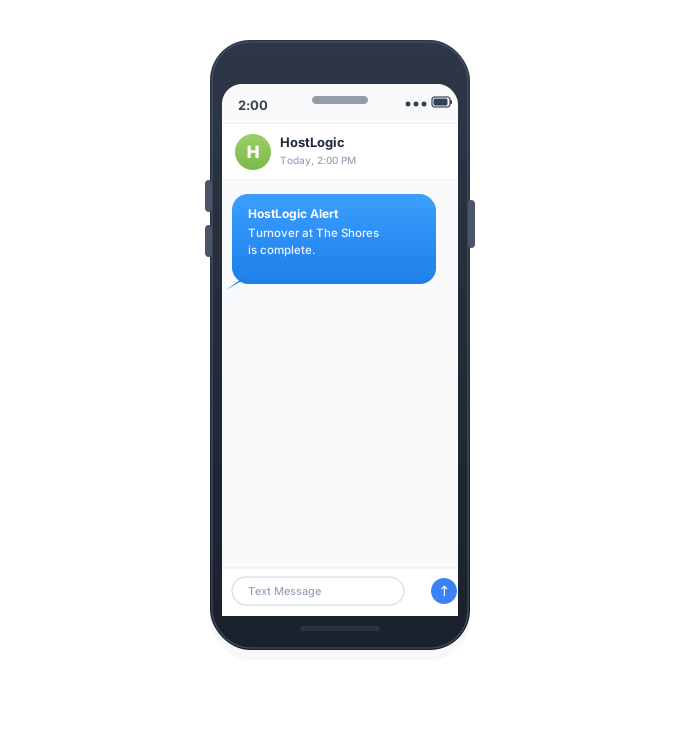
Maintenance and Inventory Summary
Overdue and upcoming maintenance reminders sent via email so you can get ahead of issues before they become guest-impacting.
Everything you need. Nothing you don't.
HostLogic replaces scattered spreadsheets, group texts, and the hope that tomorrow will be easier.
Every property guest-ready, on time, every time
Juggling cleaner schedules across multiple properties and last-minute booking changes?
HostLogic pulls reservations directly from Airbnb and sends them to your cleaners so they can grab the jobs they want. Prioritize jobs to certain cleaners. Allow cleaners to move jobs between themselves without your involvement, and confirm it all with SMS and email notifications—so you stop being the dispatcher.
- Same-day-checkin indicators for cleaners
- Send jobs to cleaners on priority basis
- Simple dashboard for status across all homes
Eliminate emergency supply runs
Out of detergent at the worst moment? Piles of inventory you don't need right now?
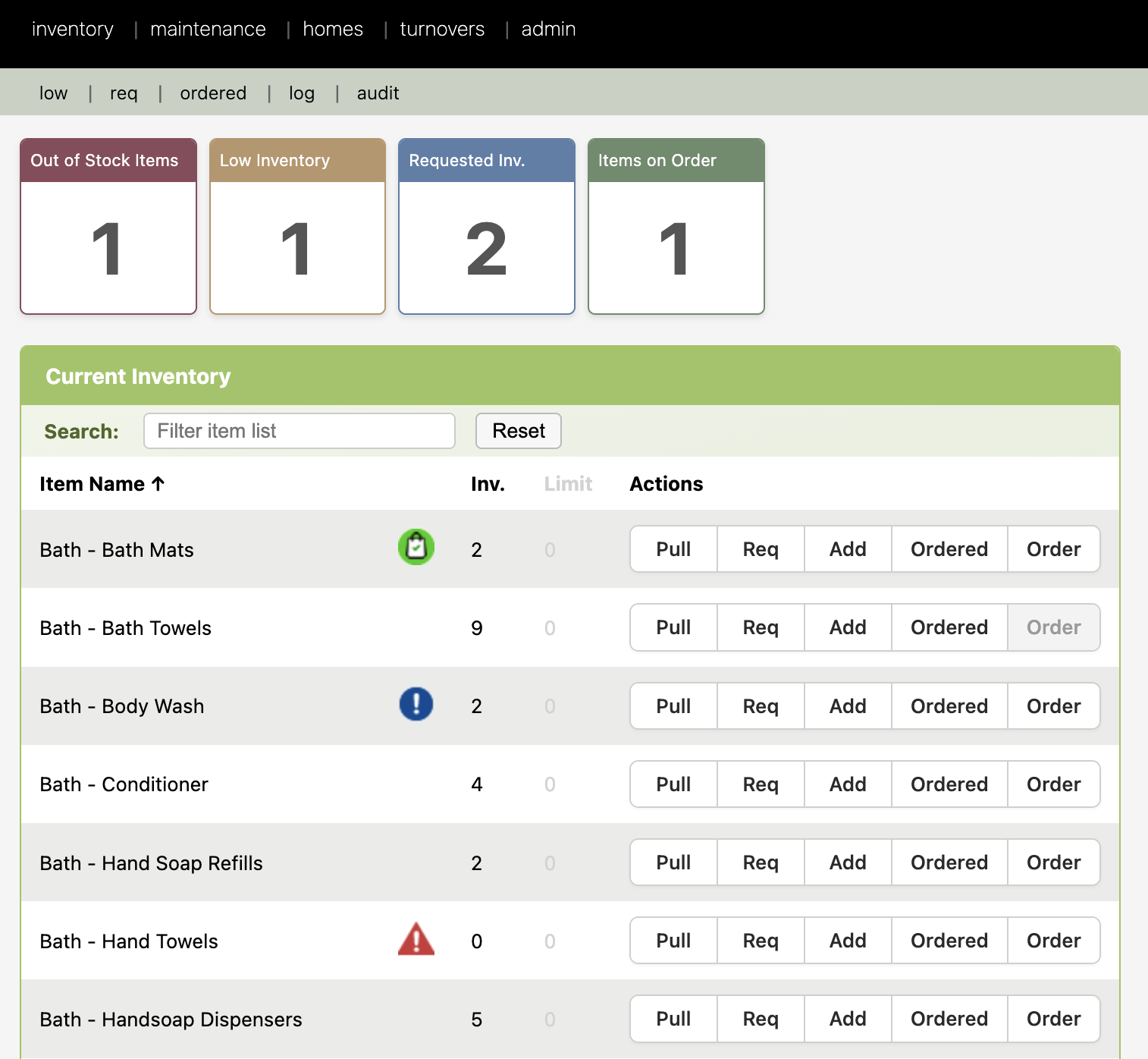
Track every consumable across each property. Reorder thresholds, low-stock alerts, and one-click resupply for you and your team.
- Per-property and portfolio-wide views
- Cleaners can flag shortages from their phone
- Insights show what you actually consume month-over-month
Catch problems before guests do
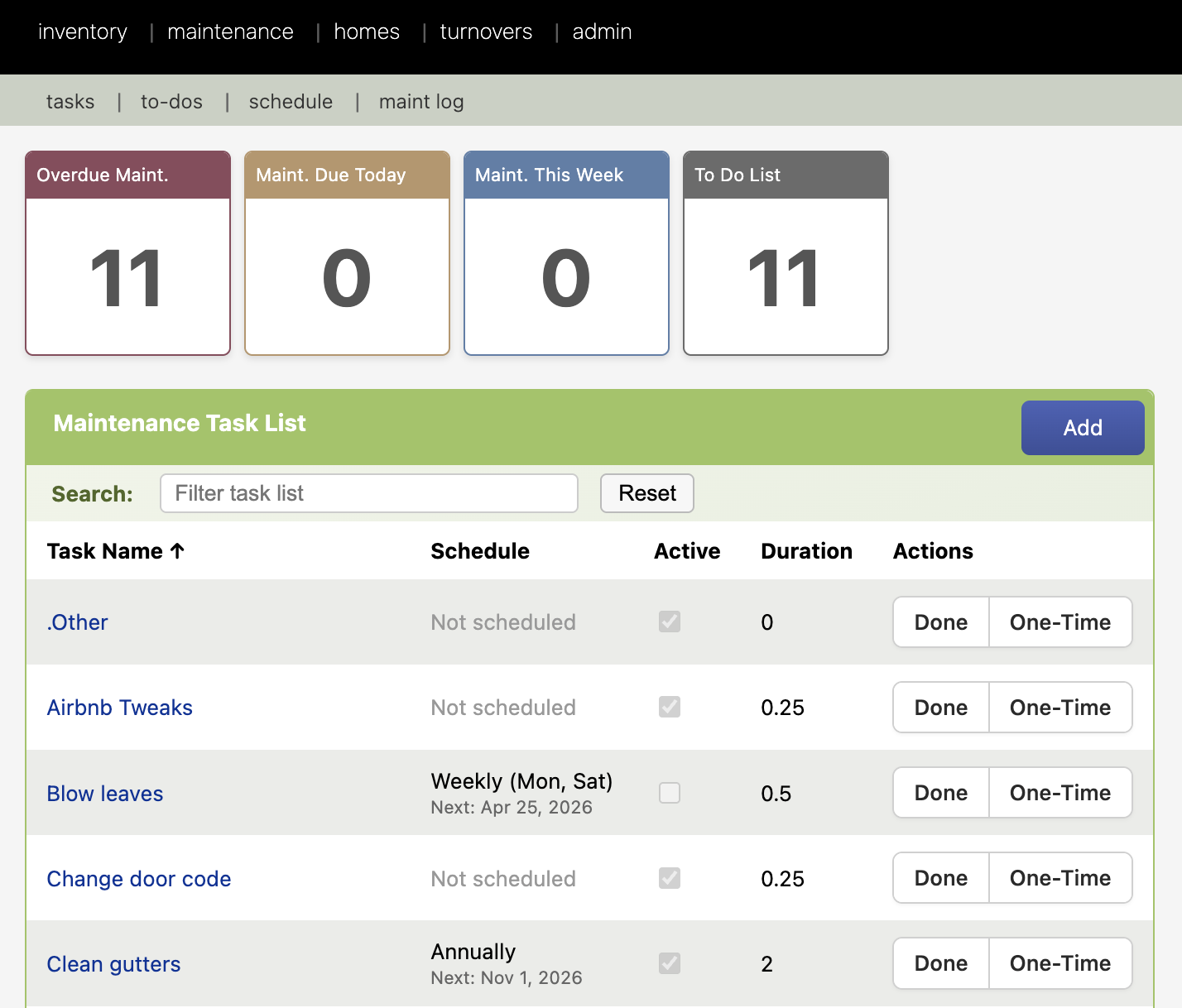
Tired of one-star reviews because the electronic door lock batteries died during a guest's stay? Dryers running slow because the vents haven't been cleaned?
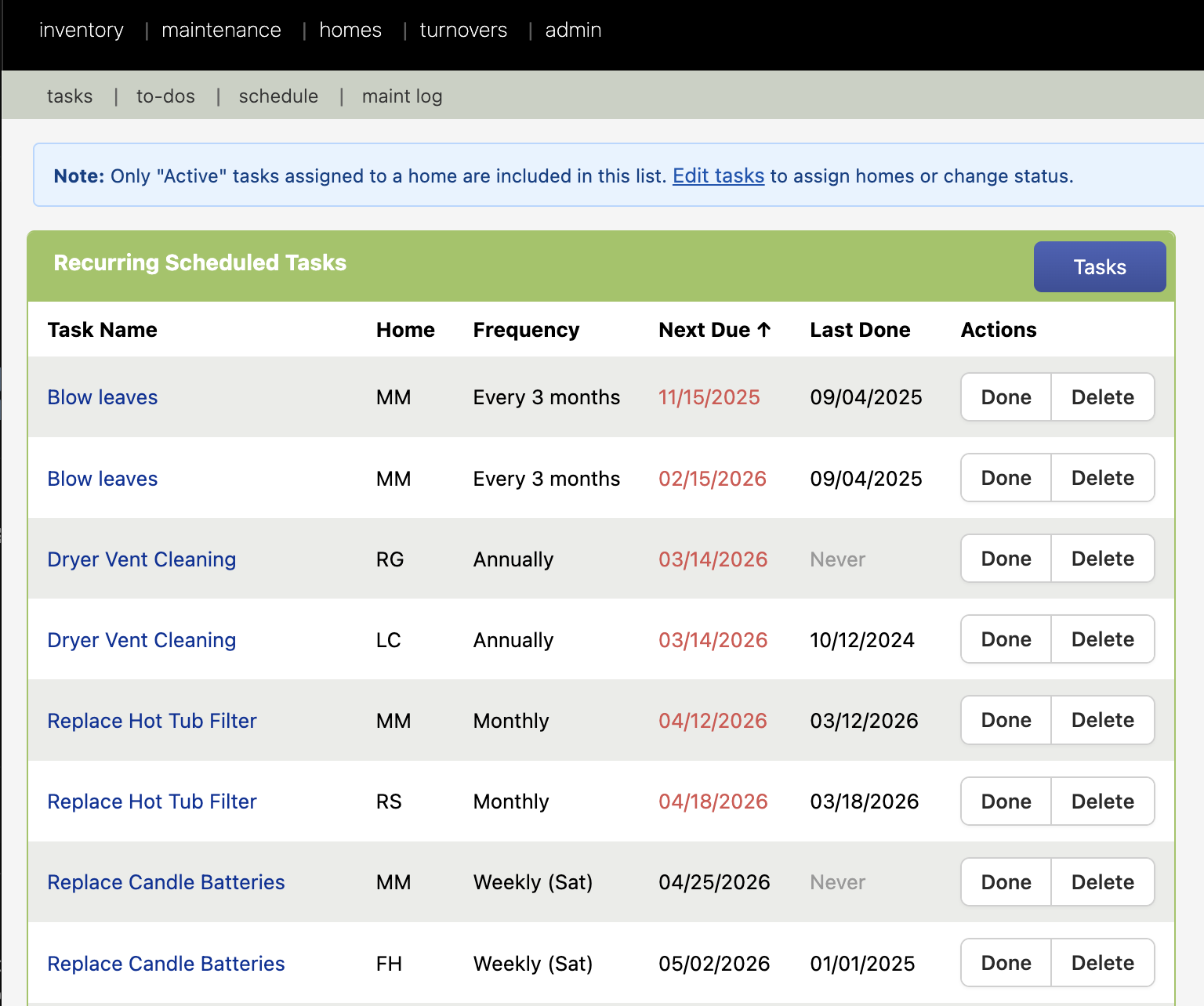
Schedule recurring maintenance at each property, track work history, and assign tasks to your team or vendors — with reminders that don't depend on your memory.
- Recurring schedules (filters, smoke alarms, deep cleans, battery replacements).
- Schedule based on completion date or calendar date.
- Full history per task, per property, or over time for resale, insurance, or legal purposes.
A complete operations toolkit, not just one feature
Stop paying for five tools that don't talk to each other.
Runbooks & SOPs
Property-specific checklists your team follows every time.
Vendor management
Plumber, HVAC, handyman — all in one address book with history.
Asset tracking
Know what's in every property (appliance models, spa filters, paint color codes, lightbulb types, etc.) and when it was last replaced.
Cleaner payments
Track what's owed by job, by cleaner, with a tax-ready report.
Granular permissions
Control which homes each user can see and act on.
Control which features each user can access (Inventory, Maintenance, Homes, Runbooks, Assets, Vendors, etc.).
Airbnb sync
Reservations sync automatically from Airbnb — no double entry.
Your cleaners don’t need a laptop
The HostLogic app shows each cleaner the jobs assigned to them, lets them start and finish work, and sends notes and photos straight back to you. Everything on this page still runs in any browser — the app is for the people doing the work.
Already a HostLogic customer? Your team will be able to sign in with the accounts they already have — nothing extra to buy.
The perfect tool for 1–10 properties
Most platforms are built for either solo Airbnb hobbyists or 50+ unit property managers. HostLogic is built for the underserved "Goldilocks zone" hosts with 1-10 properties.
I built HostLogic because running my Airbnbs via group texts, spreadsheets, and good intentions was painful. Other property management tools were either built for hobbyists with one cabin or for 50-property professionals with wide margins and deep pockets.
HostLogic is the tool I wished existed when I started hosting. Simple, flat-rate pricing, intuitive design, no lock-in. If you have 1 to 10 properties, this is for you.
— Jeff, founder · HostLogic
Simple. Transparent. Done.
No confusing tiers. No percentage-based pricing. Just one flat rate.
Other tools take a cut of your cleaning fees, pile on hidden costs, and quietly raise prices. HostLogic doesn't.
- No minimum charges
- No surprise expenses
- No hidden fees
- No percentage-based pricing
Free
For trying it on a single property.
- Inventory tracking
- Maintenance scheduling
- Runbooks & documentation
- Vendor management
- Analytics & reporting
No credit card required
Pro
For running the whole portfolio, with your cleaning team.
- Everything in Free, plus…
- Automated turnover scheduling
- Maint. job scheduling & dispatch
- Unlimited users
- Cleaning team management
- Airbnb reservation sync
- Priority support
No additional fees · No hidden fees
3 homes · $36/mo • 6 homes · $72/mo • 10 homes · $120/mo
Questions hosts ask before signing up
Short answers to the things that matter most. The full knowledge base is just a click away.
Can I track inventory across multiple properties?
▾Yes! We support both consolidated and distributed inventory modes:
- Consolidated Mode: Track all inventory in one central location
- Distributed Mode: Track inventory separately for each property
You can switch between modes in your account settings based on your operational needs.
Can I control which homes each user is allowed to view?
▾Yes. Each user is granted access to the homes you choose, and you control which parts of a home they see: inventory, maintenance, addresses and door codes, runbooks, assets, and vendors. That lets you show someone only what their job needs.
Note this governs what they can view. Accepting unassigned turnover jobs is separate — any cleaner in your account can accept any available job.
Is there a cost to adding additional team members?
▾There is no per-user charge, and no limit on the number of users.
A free account covers one property and one user. Adding a second user (or a second property) moves you to a paid account at $12 per property per month — and from there you can add as many people as you need at no extra cost.
How does billing work for additional properties?
▾A free account covers one property and one user, for as long as you like.
Adding a second property moves you to a paid account. Paid accounts are $12 per property per month and are charged for every property, including the first — the free tier is a plan, not a discount that carries over.
Billed monthly on your account anniversary. No setup fees, no contract, cancel any time. Add or remove properties whenever you need to and your bill follows.
How does the system get jobs from Airbnb?
▾The system uses the iCal calendar link that Airbnb provides for each listing. You add one iCal URL per listing (under the listing settings for each home).
A scheduled HostLogic routine runs every 15 minutes, fetches each listing's iCal feed, to identify new reservations. From that data it creates new turnover jobs, updates existing ones when dates change, and removes jobs when reservations are cancelled. So whenever a guest books or changes a reservation on Airbnb, the corresponding turnover job appears or updates in the system within about 15 minutes.
How does billing work for additional users?
▾Users are never charged for individually. There is no per-user fee and no limit on how many you can have.
A free account covers one property and one user. Adding a second user moves you to a paid account — $12 per property per month — after which you can add as many people as you like at no extra cost, even if you only have one property.
So you are paying for properties, not for people.
How are cleaning rates handled?
▾Each turnover listing has a default cleaning rate. You can optionally set a different rate per cleaner per listing (so one cleaner might get a higher or lower rate at a given property). When a job is created from Airbnb, it uses the listing default until a cleaner is assigned; when the job is marked as paid, the system uses the assigned cleaner's rate for that listing if set, otherwise the listing default. For one-off cases (e.g. extra work), you can override the rate on the individual job before marking it paid.
How do the cleaners learn of new jobs?
▾When a new turnover job is created (from the iCal poll), the system sends notifications to cleaners who have opted in: by email and SMS (where enabled). The message indicates that a new job is available and includes a link to accept it. Cleaners can also log in anytime and go to jobs → available to see all unassigned jobs and accept them from the Available Jobs page.
Can the system send jobs to certain cleaners first?
▾Yes. Mark a user as prioritised and they are notified about new jobs straight away, while everyone else waits for a short delay.
The delay is a setting on your account — 30 minutes by default — so you can make the head start longer or shorter to suit your team.
If a job is close to its start time it is treated as urgent and the delay is skipped, so a last-minute job reaches everybody at once.
How do the cleaners accept jobs?
▾Cleaners can accept jobs in two ways: (1) From the notification—clicking the link in the "New turnover job available" email or SMS takes them to a page where they confirm acceptance. (2) From the website—by going to jobs → available (Available Jobs), they can open a job and click Accept, or select multiple jobs and use "Assign to Me." Once a job is accepted it is assigned to that cleaner; if someone else already accepted it, the system will show that the job is no longer available.
How and when do cleaners get paid?
▾You pay cleaners yourself — HostLogic tracks what is owed, it does not move money.
Go to jobs → payments to see everything unpaid, grouped by person. Select the jobs you are paying, send the money by whatever method you use (Venmo, Zelle, PayPal), then record the payment with its reference. HostLogic works out each job's amount from the cleaner's rate for that listing, the listing default, or a per-job override.
The cleaner is notified by email and SMS, and the reference lets them match the payment to the jobs it covered.
Can I manually create new jobs for things like deep cleaning or non-Airbnb related turnovers?
▾Yes. From jobs → sched, use the option to add a job.
Choose the home and listing, set the start and end date and time, and optionally assign a cleaner, set an override rate, and add notes. The job behaves like any other — it is simply not tied to an Airbnb reservation — so it works for deep cleans, mid-stay tidies or one-off turnovers.
You can choose whether the assigned cleaner gets the usual notification.
Join our limited beta and help shape the platform built for people who run Airbnbs like you do.
Request your invite →Free to start · No credit card required · Takes under 2 minutes